Home / General contractors
Now accepting beta testers Contractor Made EasyGeneral contractor software from first bid to final draw.
General contractor software runs a remodel from first bid to final draw: the scope lines, the phases, the subs, the selections, the change orders, the photos and the pay applications on one phone. It is in development, with Muskoka and the rest of Ontario first. Join the waitlist and we will email you when the Android test opens.
Now accepting beta testers. No card.
Why do contractors leave the apps they have?
Summed up from public reviews and owner forums, October 2026.
The week disappears into invoices
Materials from three suppliers, phases half billed, and nobody remembers which receipt went to which project.
One person does every job
Owner, sales, bid, project manager and site lead, often before lunch.
A missing document stops the site
An expired COI or clearance turns up when the sub is already on the driveway.
Final payment and the paperwork
A client waits on a lien waiver, a punch list and a final inspection, and the last cheque waits with them.
How does a remodel go from first bid to final draw?
Build the bid from your scope lines
Pick the work you do, set the price and the unit, and add good, better and best options with a deposit and a signature.
Run the phases on site
Tick the pre-construction, rough-in, finishes and closeout checklists, keep sub insurance and selections current, and capture a photo at each phase.
Bill the draw and hold the holdback
Update percent complete on the schedule of values, send the pay application, keep the 10 percent holdback on the ledger and track the lien waiver.
What do contractors say, and what changes in the app?
Public posts from owners, quoted in their own words. The feature beside each one is built into Contractor Made Easy. The app is not open yet.
An owner on r/GeneralContractor
Materials ordered from three different suppliers and nobody remembering which job they went to. Invoicing phases that are half-done because we ran out of time on a Friday.
What the app does: Materials and receipts stay on the project. Draws bill the new percent complete, not a guess made on Friday.
The change: One project record holds the receipt photo, the schedule of values and the next draw.
An owner on r/Contractor
Currently im the owner/operator/sales/estimator/project manager/superintendent
What the app does: One place for phase checklists, subs, selections, change orders, photos and draws.
The change: Stop stitching five tools together before the first coffee.
An owner on ContractorTalk
How do you handle price changes on a job once you're into it?
What the app does: A change order carries the scope, photo, price and schedule impact, then collects a client signature.
The change: The approved amount lands on the next draw instead of a text thread.
An owner on r/GeneralContractor
their eyes go straight to it and it feels expensive to them
What the app does: A bid separates the scope lines, the options and the deposit, so the client sees what the money buys.
The change: Show the choice before the number feels like a surprise.
What is in Contractor Made Easy?
These features are built and in testing. The app is not open yet.
Your own project service list
Kitchen, bathroom, basement, addition, deck, fence, roof, window, siding, flooring, drywall and painting lines. Set each price and unit: per square foot, lump sum, cost plus, per hour or per day.
Bids with options and a deposit
Build one bid with good, better and best choices, add site photos, set a deposit and let the client accept one choice with a signature.
Phase checklists
Pre-construction, rough-in, finishes, weekly site visit, change order and RFI, and closeout templates, each task with an optional photo and note.
Schedule of values and progress draws
Keep the contract lines on one schedule, update percent complete and send a draw invoice that bills only the new work.
Ontario 10 percent holdback
Every draw shows the holdback and the release date, with a running ledger of what is held and what is released.
Subcontractor tracker
Keep the sub contact, trade, COI expiry, WSIB or WCB clearance and W-9 on the project. An expiry turns amber, then red.
Selection sheet
A selection has a room, a due date, a status, a client approval and a price impact, so a late choice is visible before it stops the job.
Change orders with a signature
Add the extra work, a photo, a price and the schedule impact, then the client approves with a signature before the extra work starts.
Materials and receipts
Photo a receipt, keep the vendor and the amount on the project, and add a markup where you charge one.
Site visit report fields
Record progress, subs on site, hours, deliveries, safety notes, permit and inspection results, selections and the next client update.
Lien waiver log
Record a conditional or unconditional waiver against a draw or a sub, with the signed date and the document.
Branded pay applications
Your logo and colour on every bid, invoice and report, with sent, viewed and paid shown for each one.
Works offline, then syncs
Open the app once and it keeps running with no bars. Phase ticks, photos and notes save on the phone and sync when you are back online.
Export anytime
Download your clients, projects, bids, invoices, photos and documents whenever you want, free.
Support chat
Ask in the app and a real person replies within 1 business day. Your ticket and the reply stay in the app.
Construction progress billing, change orders, subs and selections.
Draw schedule software
A schedule of values, percent complete and a draw invoice for each period. The holdback stays on the ledger until release.
Change order app
Scope, photo, price and schedule impact, then a client signature before the work starts.
Subcontractor tracking software
COI expiry, WSIB or WCB clearance and a W-9 on every sub, with a colour that warns before the date passes.
Selection sheet app
A room, a due date, a status, a client approval and a price impact on every finish choice.
What do we promise contractor owners?
No contracts to escape, no surprise fees, and your data stays yours.
Your bid price holds
The price on your signed bid stays put for the scope you agreed, so a client is never surprised by a different number at the draw.
Every core tool in the base plan
Bids, phase checklists, sub tracking, draw billing and pay applications are in the plan you start on and are never moved to a higher tier. Add ons show their price before you turn them on.
A real person, any time
Ask in the app or reply to any email and a real person answers. Want to talk? Book a call. We build what owners ask for.
Your project records leave with you
Download your clients, projects, bids, invoices, photos and documents whenever you want, at no cost.
A real person within one business day
Support chat sits inside the app and a real person answers within one business day. The ticket and the reply stay on the project.
Works on site with no signal
Once the app has opened on your phone, the phase checklists, photos and notes keep saving on the phone and sync when you are back online.
General contractor software questions.
What is general contractor software?
General contractor software keeps a remodel in one place: the client, the bid, the phases, the subs, the selections, the change orders, the photos, the draw schedule and the pay applications. Contractor Made Easy is built for a solo owner or a small crew, and it is in development now.
How does construction progress billing work in the app?
Each project keeps a schedule of values. You update the percent complete on each line, then send a draw. The draw bills only the new work, keeps the holdback on the invoice and links a pay application the client can open.
Does it track the Ontario construction holdback?
Yes. Ontario uses a 10 percent holdback, and the draw schedule defaults to 10 percent. You can change the rate for a project and see the held and released totals on the same screen.
Is there a change order app for contractors?
Yes. A change order keeps the scope, a photo, the price and the schedule impact, and the client approves it with a signature. The approved amount can go on the next draw.
Is there subcontractor tracking software in the app?
Yes. Each sub keeps their trade, contact details, COI expiry, WSIB or WCB clearance and W-9. An expiry turns amber before it turns red, so a missing document does not stop the job.
Is there a selection sheet app?
Yes. Each selection keeps a room, a due date, a status, a client approval and a price impact, so you can see the late choice before it delays the schedule.
Join the waitlist for the launch.
We will email you when Contractor Made Easy opens in Ontario. No card.
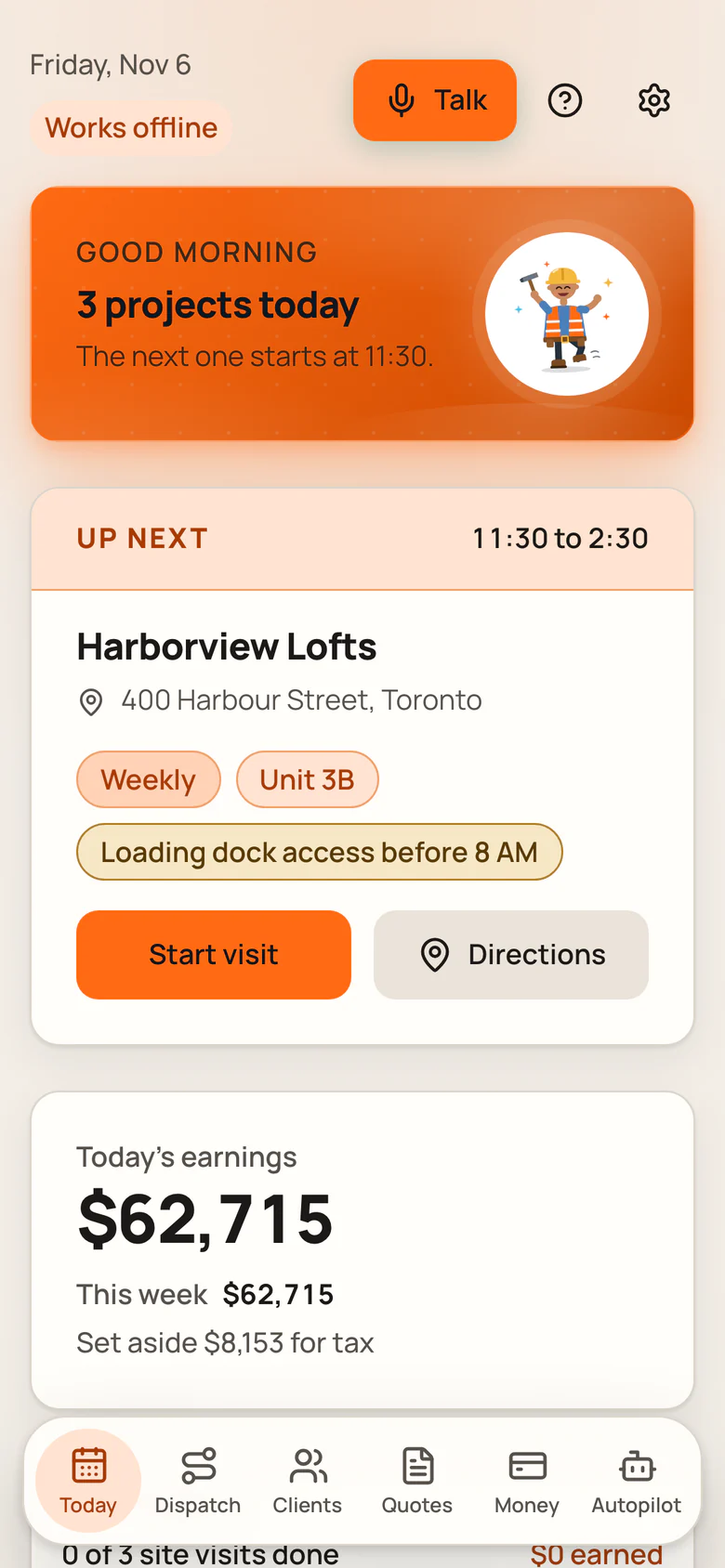
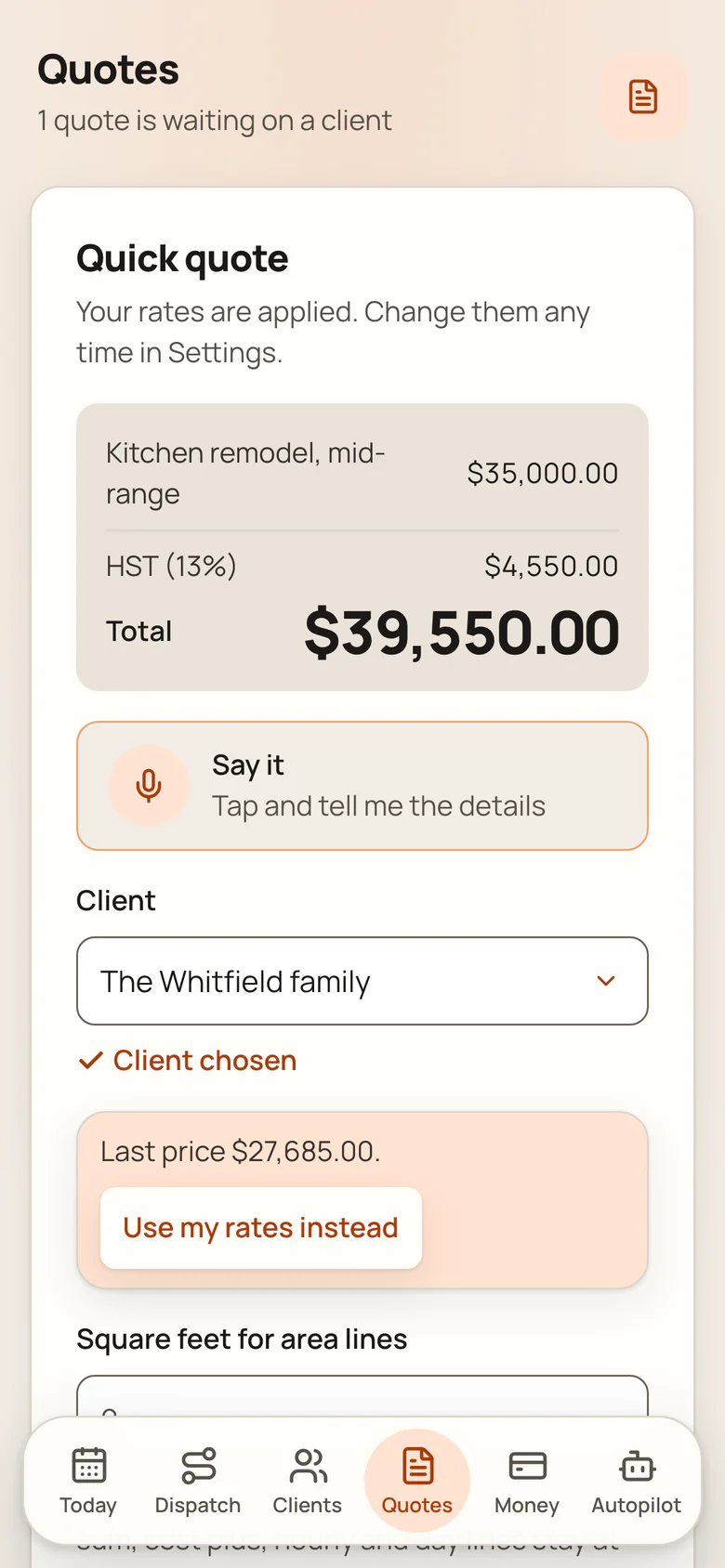
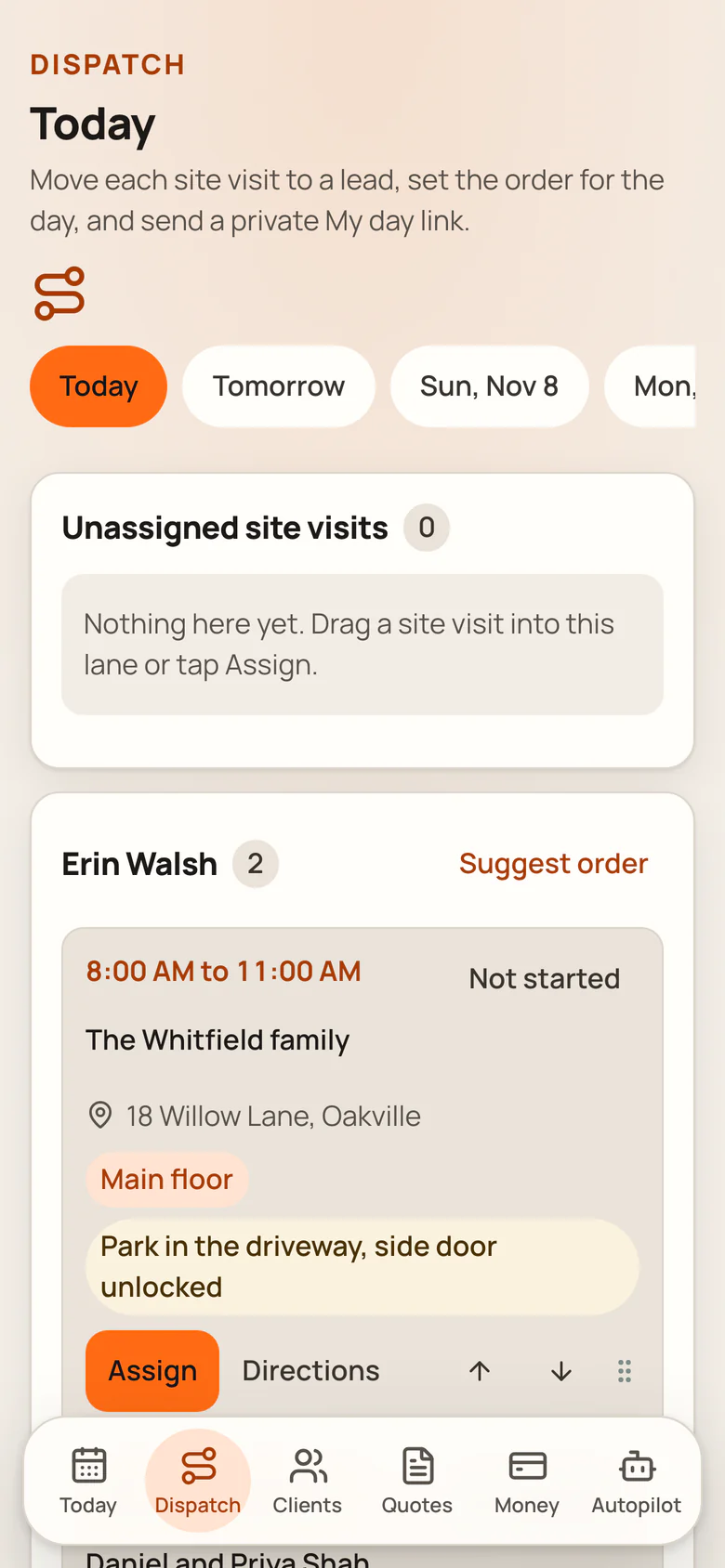
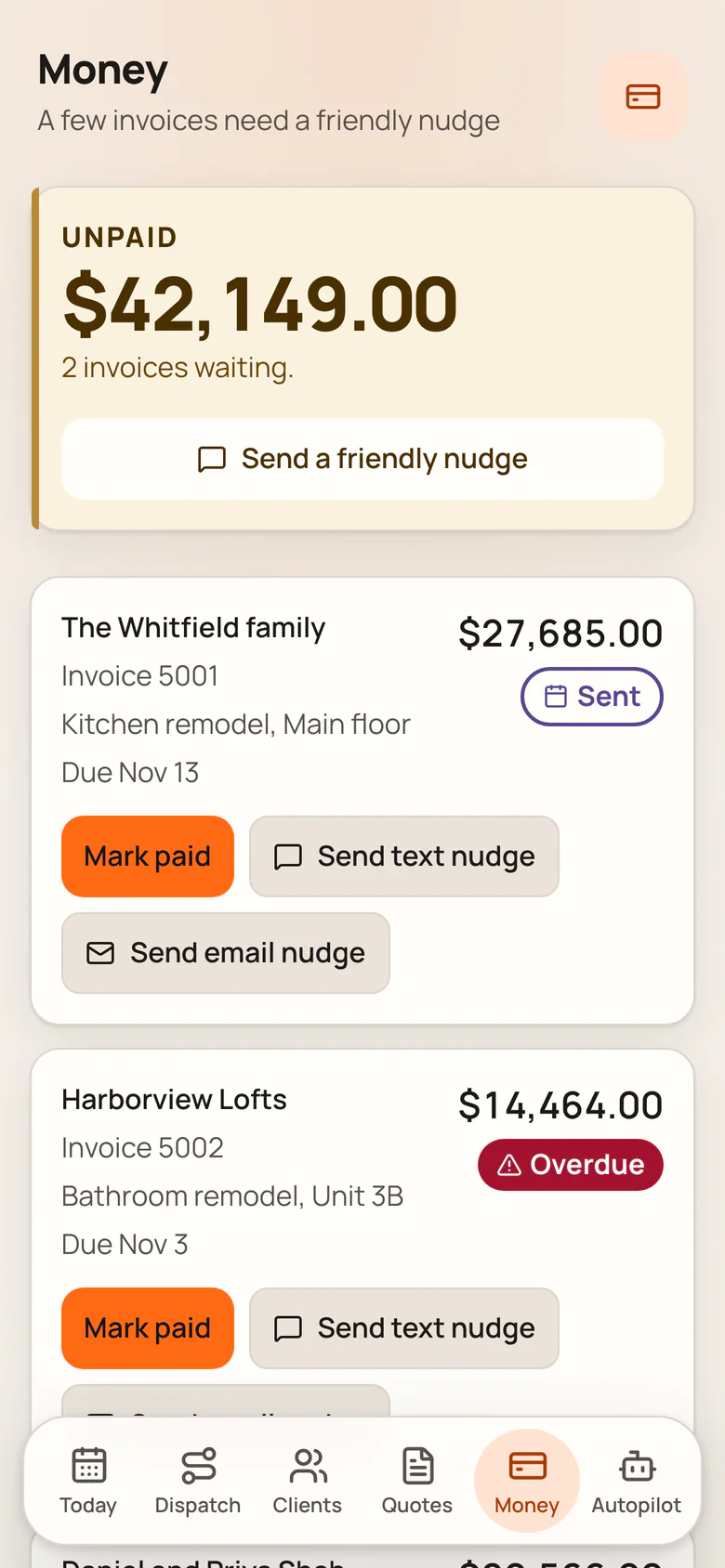
Contractor Made Easy screens.
The today, quote, dispatch and money screens from the app, each in a full phone frame. Swipe to see every screen.
Screen 1 of 4